THE HENRIETTE JOURNAL
SEO Audit Checklist: How to Improve Existing Pages Step by Step
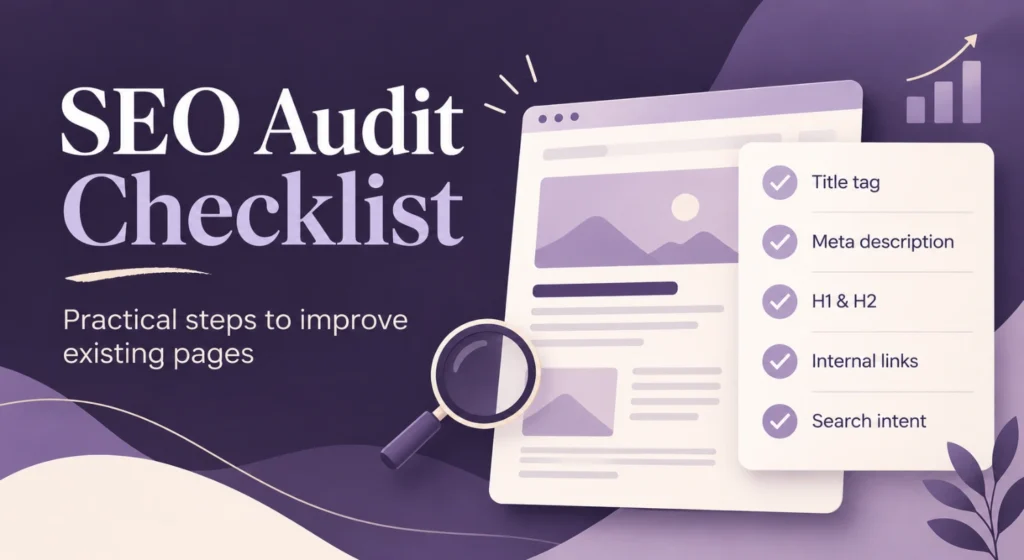
An SEO audit checklist does not have to start with a complicated technical report or hundreds of errors exported from an SEO tool. Some of the most valuable SEO improvements begin much closer to the page itself: its purpose, content, headings, internal links and search intent.
If a website already has useful pages, improving those pages often makes more sense than publishing another twenty blog posts.
A page may already rank somewhere in Google, receive impressions and have a few internal or external links. Yet it still underperforms because the title is vague, the content misses an important question or Google does not receive enough context about the page.
That is where a practical SEO audit becomes useful.
This checklist focuses on the areas website owners have direct control over and provides a structured way to identify opportunities before creating more content.
What is an SEO audit?
An SEO audit is a structured review of a website or individual page to identify issues that may limit its visibility, usability or search performance.
A full audit may include technical SEO, backlinks, crawlability, indexation, content quality and site architecture. But not every website needs a huge audit first. For an existing service page or blog article, a focused on-page SEO audit often reveals plenty of opportunities. The most important question is:
Does this page clearly deserve to rank for the search query it targets?
Everything else follows from there.
| SEO audit area | What to review | Why it matters |
|---|---|---|
| Search intent | What the visitor expects | Keeps the page relevant |
| Title tag | Topic and clarity | Helps search engines and searchers understand the page |
| H1 | Main page subject | Establishes the primary focus |
| H2/H3 structure | Supporting topics | Creates logical content hierarchy |
| Content | Quality and completeness | Answers the search query |
| Internal links | Connections with related pages | Builds context and navigation |
| Images | Relevance and optimisation | Supports content and usability |
| Technical basics | Indexation, URLs, mobile usability | Prevents avoidable SEO problems |
1. Start your SEO audit with search intent
Before changing a title or adding a keyword, determine why someone searches for the topic.
Search intent usually falls into several broad categories:
- informational;
- commercial investigation;
- transactional;
- navigational.
A person searching for “what is on-page SEO” expects education.
Someone searching for “on-page SEO services” is much closer to hiring someone.
If one page tries to serve every possible intent at once, the message quickly becomes unclear.
Ask yourself:
- What exact question does this page answer?
- Who is the page written for?
- What should a visitor understand within the first few seconds?
- Does the page match the search results currently appearing for the keyword?
- Is the content mainly informational or commercial?
Strong SEO starts with a clear purpose.
This principle also sits at the centre of my On-Page SEO service: improve the pages that already exist before automatically assuming that more content is the answer.
2. Check the title tag
The title tag is one of the first elements to review in an SEO optimization checklist.
A good title should:
- describe the page accurately;
- include the main topic naturally;
- distinguish the page from competing results;
- avoid unnecessary repetition;
- give users a reason to click.
Compare:
SEO Services | Company Name
with:
On-Page SEO Services for Stronger Existing Pages | Company Name
The second title explains much more.
Avoid titles that look like keyword lists:
SEO Services | SEO Company | SEO Expert | SEO Optimization
That approach adds keywords but removes clarity.
SEO audit question
If I only saw the title in Google, would I immediately understand what this page offers?
If not, rewrite it.
3. Review the meta description
Google does not always display the meta description you write, but it still deserves attention. A good meta description acts like a short introduction to the page. It should support the title rather than repeat it.
For example:
Improve existing pages with focused on-page SEO. Strengthen content, headings, internal links and page structure to create clearer, more useful pages.
Keep it concise and relevant.
Do not turn it into another list of keywords.
4. Check the H1
Every important page should have a clear main heading. The H1 does not need to match the title tag word for word, but both should clearly address the same topic.
A weak H1 might say:
Welcome to Our Website
A stronger H1 might say:
On-Page SEO Services for Existing Websites
The second heading immediately tells visitors where they are.
On-page SEO checklist
Check whether your H1:
- clearly describes the page;
- includes the main topic naturally;
- matches the search intent;
- differs from other pages on the website;
- makes sense without reading the paragraph below it.
The H1 should never leave visitors guessing.
5. Review the H2 and H3 structure
Headings are not decorations.
They organise information.
A logical heading structure also helps you see whether the page covers the subject properly.
For example:
H1: SEO Audit Checklist
H2: Review search intent
H2: Check the title tag
H2: Optimise headings
H2: Review existing content
H2: Improve internal links
Under a broader H2, H3 headings may provide further detail. Avoid jumping between unrelated topics or using headings purely because a design template requires another large line of text. Your page hierarchy should reflect the hierarchy of the information.
6. Audit the existing content
This is where many websites have the biggest opportunity. Content optimisation is not the same as adding another 500 words. Sometimes an SEO audit reveals the opposite: the page contains too much generic text and not enough useful information.
Review every section and ask:
- Does this paragraph answer a real question?
- Is anything outdated?
- Is important information missing?
- Do several paragraphs repeat the same point?
- Is the page too general?
- Does the content demonstrate knowledge of the subject?
- Does the reader know what to do next?
Good SEO content optimization improves relevance rather than word count.
If the page needs substantial rewriting, professional SEO copywriting may be more useful than simply adding keywords to weak copy.
7. Look for missing subtopics
A useful page usually needs more than one exact keyword. Imagine a page targeting WordPress SEO.
A visitor may also expect information about:
- title tags;
- meta descriptions;
- headings;
- image optimisation;
- SEO plugins;
- internal linking;
- page speed;
- mobile usability;
- content quality.
Those related subjects help create a complete page. This is one reason keyword research is useful beyond search volume. Related keywords reveal the language people use and the questions surrounding a topic.
A useful approach
Take your main keyword and look at:
- matching terms;
- questions;
- parent topics;
- competitor headings;
- related keywords with low search volume.
Low-volume keywords are particularly useful when building a newer website. A keyword searched only 10 or 20 times per month may still attract exactly the person you want. Ten relevant visitors are often more valuable than hundreds of visitors with the wrong intent.
8. How to optimize a webpage for SEO
If you are wondering how to optimize a webpage for SEO, avoid treating optimisation as one single action. Work through the page systematically.
A practical sequence is:
- define the target search intent;
- review the title tag;
- rewrite the meta description where needed;
- check the H1;
- organise H2 and H3 headings;
- improve weak or outdated content;
- add missing subtopics;
- improve internal links;
- review image filenames and alt text;
- check the URL;
- review the page on mobile;
- add a clear next step.
This produces a stronger page without completely rebuilding it.
9. Audit your internal links
Internal linking deserves much more attention than it usually receives. Internal links tell visitors where to go next and create relationships between topics. They also stop important pages from becoming isolated.
For example, this SEO audit article naturally connects to:
- my On-Page SEO services;
- my broader SEO services;
- SEO copywriting;
- and my contextual backlink services.
Those links are relevant because the subjects support each other.
Check your anchor text
Avoid using click here everywhere.
Use descriptive anchors instead:
- on-page SEO services;
- SEO copywriting;
- contextual backlinks;
- website SEO optimisation.
The anchor should tell the reader what lies behind the link.
10. Check whether important pages receive enough internal attention
Not every page is equally important. Your main commercial pages should generally receive more internal links than an old blog post from five years ago.
During an SEO audit, look for:
- service pages with hardly any internal links;
- articles that link nowhere;
- outdated pages receiving many links;
- competing pages targeting almost the same topic;
- relevant blogs that do not link to your commercial pages.
A good website structure creates clear paths. Visitors should not need to hunt for your most important information.
11. Review your images
Image optimisation is easy to overlook. Start with the basics.
Instead of uploading:
IMG_438726.jpg
use something descriptive, such as:
seo-audit-checklist.webp
Also review the alt text.
An alt description should describe the image naturally.
For the image accompanying this article, a suitable alt text would be:
SEO audit checklist for improving existing website pages
Avoid stuffing unrelated keywords into image descriptions.
12. Check the URL
A URL should normally be short, descriptive and easy to understand.
For this article:
/seo-audit-checklist/
is stronger than:
/blog/article-category-2026-seo-audit-checklist-guide-184/
Do not change established URLs without a good reason.
If a page already has links, rankings or traffic, changing the URL creates extra work and may introduce redirect problems.
13. Check mobile usability
A page that looks perfect on a desktop may be frustrating on a phone.
Review:
- font size;
- line spacing;
- menu usability;
- image sizing;
- buttons;
- tables;
- forms;
- excessive empty space;
- elements that overlap.
This is especially important for long SEO articles.
A large table that works beautifully on desktop may become unreadable on a mobile screen.
Always check the finished page yourself.
14. Review the technical SEO basics
You do not need to turn every page audit into an advanced technical SEO project.
But several basics deserve checking.
Technical SEO checklist
- Is the page indexable?
- Does it return the correct HTTP status?
- Does the canonical tag make sense?
- Is HTTPS working correctly?
- Are there broken internal links?
- Are images unnecessarily large?
- Does the page load reasonably fast?
- Does the mobile version work properly?
- Is important content visible to search engines?
- Does the page appear in your XML sitemap where appropriate?
If something fundamental is broken, improving the copy alone will not solve the problem.
15. Check for keyword cannibalisation
Sometimes the problem is not a weak page. It is too many similar pages.
Imagine these URLs:
/seo-services//seo-optimization//seo-help//website-seo-services/
If all four pages target essentially the same search intent, Google has to decide which one represents the topic. That weakens focus.
During your SEO audit, identify overlapping pages and decide whether they need:
- clearer individual purposes;
- consolidation;
- different target keywords;
- stronger internal linking;
- redirects where appropriate.
One strong page often performs better than several weak variations.
16. Check the call to action
SEO traffic has little commercial value if visitors reach a page and have no idea what to do next. Every commercial or semi-commercial page needs a logical next step. That might be:
- request information;
- view a service;
- read a related guide;
- request a quotation;
- contact the business.
The CTA should match the intent. An informational visitor may not be ready to buy immediately. Guide them naturally towards the next relevant page.
SEO audit checklist: quick overview
Use this condensed SEO audit checklist when reviewing an existing page.
| SEO check | Done? |
|---|---|
| Clear search intent | □ |
| Unique title tag | □ |
| Useful meta description | □ |
| One clear H1 | □ |
| Logical H2/H3 structure | □ |
| Relevant and complete content | □ |
| Missing subtopics added | □ |
| Keyword stuffing removed | □ |
| Relevant internal links | □ |
| Descriptive anchor text | □ |
| Images compressed | □ |
| Descriptive image alt text | □ |
| Clear URL | □ |
| Mobile layout checked | □ |
| Indexation checked | □ |
| Broken links checked | □ |
| Cannibalisation reviewed | □ |
| Clear CTA | □ |
How often should you run an SEO audit?
Not every page needs constant editing. In fact, repeatedly changing a page without a reason may make it harder to judge what actually works.
Review a page when:
- rankings decline;
- impressions grow but clicks remain low;
- information becomes outdated;
- the business offering changes;
- competitors publish substantially better content;
- a page ranks just outside the strongest positions;
- search intent changes;
- you discover new relevant keyword opportunities.
The goal is not constant change.
The goal is useful improvement.
Does an SEO audit improve website ranking?
An audit itself does nothing. The value comes from implementing the right improvements. If an audit identifies weak content, poor structure, missing internal links or unclear search intent, fixing those issues may strengthen the page considerably.
The same applies to websites trying to understand how to improve website ranking. There is rarely one magic adjustment. Better rankings usually come from many relevant improvements working together. That may include stronger pages, better site structure, useful content and, in competitive markets, external authority through quality backlinks.
On-page SEO and backlinks serve different purposes
On-page SEO improves the website itself. Backlinks provide external signals. A page with strong content but very little authority may struggle in a competitive search result. A page with strong backlinks but weak content may also underperform. The two areas support each other.
Before investing heavily in link building, I prefer to make sure the target page is worth strengthening. Once the page is clear, useful and properly structured, relevant backlinks have a much stronger foundation to support.
Start with the pages you already have
SEO does not always require another new article. Sometimes your best opportunity already exists somewhere on your website. A page may need a better title. Another needs stronger internal links. A third may rank for useful keywords but fail to answer the search intent properly.
That is why an SEO audit checklist is so useful: it forces you to look at the page as a complete piece of your website rather than as a collection of keywords. Start with one important page. Review it carefully. Improve what genuinely deserves improvement. Then move to the next.
Want a second pair of eyes on your existing pages?
I review content, headings, metadata, internal links and page structure to identify practical improvements that strengthen your website without rebuilding everything from scratch.
👉 Explore my On-Page SEO services
Or view my complete range of SEO services.